Introduction
Finding the best smartphones for over 60s doesn’t have to be complicated — and in this guide, we cut through the jargon to help you choose with confidence. Did you know that over 80% of UK adults aged 55 to 64 now own a smartphone? That number drops as age increases — but not because older people can’t use them. It’s often because nobody pointed them towards the right one.
Buying a smartphone when you’re over 60 shouldn’t mean settling for a basic brick with oversized buttons and a patronising ‘senior mode’. That’s not you, and frankly it’s not most people over 60. What you actually want is a phone that’s genuinely easy to navigate, has a clear readable screen, great battery life, and doesn’t cost the earth.
Whether you want to video call the grandchildren, manage your banking, stream a boxset, or just stop squinting at tiny text — the right phone makes all the difference. The wrong one just sits in a drawer.
In this article we give you an honest rundown of the best smartphones for over 60s in the UK in 2026 — from budget picks under £200 to premium options if you want the best of everything.
What to Look for in a Smartphone if You’re Over 60
Before we get to our picks of the best smartphones for over 60s, let’s talk about what actually matters. These are the features worth prioritising — and the ones you can safely ignore.
Screen size and clarity
A larger screen (6.1 inches and above) is easier on the eyes and better for reading, video calling, and browsing. Look for AMOLED or OLED displays which tend to be sharper and more readable in bright sunlight than LCD screens.
Battery life
Nothing is more frustrating than a phone that needs charging twice a day. Look for a battery of 4,500mAh or above, and check real-world reviews rather than manufacturer claims. Battery life is one of the top reasons people search for the best smartphones for over 60s – nobody wants to be caught short. Before we get to our picks of the best smartphones for over 60s, let’s talk about what actually matters
Text size and accessibility settings
All modern smartphones let you increase text size, boost contrast, and enable accessibility features. Android phones (Google, Samsung) tend to have more granular accessibility settings than iPhones — though Apple’s options are excellent too.
Camera quality
Modern smartphone cameras are genuinely remarkable. Even mid-range phones now produce beautiful photos. If photography matters to you, look at camera reviews specifically — megapixels alone don’t tell the whole story.
What you can ignore
- The fastest processor — unless you’re a gamer, any modern chip is fast enough
- 5G — useful for the future but 4G is perfectly fine for most uses in 2026
- Foldable screens — gimmicky, expensive, and the creases get annoying
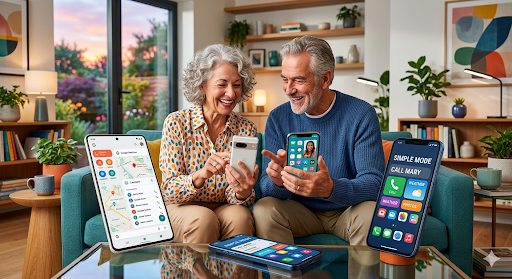
The 7 Best Smartphones for Over-60s in the UK in 2026
1. Samsung Galaxy A55 — Best All-Rounder Under £400
The Samsung Galaxy A55 hits the sweet spot between price and performance. It has a large 6.6-inch Super AMOLED display that’s genuinely gorgeous, a 5,000mAh battery that’ll easily last two days, and Samsung’s excellent accessibility features baked in. Samsung’s interface (One UI) is clean and logical, and the large display makes video calls a pleasure. It’ exactly what puts this phone among the best smartphones for over 60s available right now.
Price: Around £349. Samsung Galaxy A55 at Samsung UK
- Screen: 6.6-inch Super AMOLED
- Battery: 5,000mAh — excellent
- Best for: Those who want a big screen and long battery without spending a fortune
2. Apple iPhone 15 — Best for Apple Ecosystem Users
If your family uses iPhones or iPads, there’s a strong argument for staying in the Apple ecosystem — iMessage, FaceTime, and AirDrop work seamlessly together. The iPhone 15 has a 6.1-inch display, excellent accessibility features (including a dedicated Accessibility Shortcut button), and iOS remains one of the most intuitive operating systems around. That’s what makes the Apple iphone 15 one of the best smartphones for over 60s on the market today.
Price: From around £699 new; from around £400 refurbished. Apple iPhone 15 at Apple UK
- Screen: 6.1-inch Super Retina XDR
- Battery: Around 20 hours video playback — solid
- Best for: Apple loyalists and those who video call via FaceTime
3. Google Pixel 8a — Best for Simplicity and Clean Software
Google’s own-brand phones run the cleanest, most straightforward version of Android — no manufacturer clutter, no confusing extra apps. The Pixel 8a has a beautiful 6.1-inch OLED display, excellent camera, and Google’s AI features make everyday tasks like searching, translating, and transcribing remarkably easy. It also gets software updates guaranteed for 7 years, so it won’t feel outdated quickly. The Google Pixel 8a is worth serious consideration if you’re searching for the best smartphones for over 60s
Price: Around £499. Google Pixel 8a at Google Store UK
- Best for: Simplicity and a brilliant camera
4. Samsung Galaxy S24 — Best Premium Android
If budget isn’t a concern and you want the best Android phone available, the Samsung Galaxy S24 is hard to beat. Brilliant display, a genuinely capable AI assistant, excellent camera, and premium build quality. The accessibility suite is comprehensive and the screen is sharp enough to read comfortably even in bright conditions. The Samsung Galaxy S24 is Ideal for anyone looking for the best smartphones for over 60s right now
- Best for: Those who want a premium phone and are comfortable investing in their tech
5. Motorola Moto G84 — Best Budget Pick
Not everyone wants to spend £400+ on a phone, and you absolutely don’t have to. The Motorola Moto G84 costs around £199, has a massive 6.5-inch pOLED display, a 5,000mAh battery, and runs clean Android software. For everyday use — calls, messages, browsing, video calls — Motorola Moto G84 does everything you need. A worthy pick for the best smartphones for over 60s on any budget.
- Price: Around £199 — exceptional value
- Best for: Budget-conscious buyers who don’t need all the bells and whistles
6. Nokia G42 — Best for Repairability
Here’s an angle most guides miss: the Nokia G42 is officially repairable by the user or any repair shop. Nokia partnered with iFixit to make spare parts and repair guides freely available. For older users who don’t want to worry about accidental damage costs, this is genuinely reassuring. It’s also a capable, clean Android phone at around £179. One of our top picks for the best smartphones for over 60s this year
- Best for: Those who want peace of mind about repairs and longevity
7. iPhone SE (3rd Generation) — Best Compact iPhone
Not everyone wants a large phone. If you prefer something that fits comfortably in a pocket or smaller handbag, Apple’s iPhone SE is the most capable compact smartphone available. It has a 4.7-inch screen (smaller but still clear), excellent performance, and runs the full iOS system. Available from around £499 new or significantly less refurbished. If easy usability matters to you, this ranks among the best smartphones for over 60s available.
- Best for: Those who prefer a smaller, lighter phone and are in the Apple ecosystem
| 💡 HONEST PENSIONER TIP Before you buy new, consider a certified refurbished phone from a reputable retailer like Back Market (backmarket.co.uk) or Smartfone. You can often get last year’s top-of-the-range model for half the new price — with a warranty. |
iPhone or Android — Which Is Right for You?
This is probably the most common question and there’s no single right answer. Here’s an honest comparison:
Choose iPhone (Apple) if…
- Your family and friends are mostly on iPhones — FaceTime and iMessage are brilliant
- You value simplicity and consistency — iOS rarely changes dramatically
- You’re already in the Apple ecosystem (iPad, Mac, Apple Watch)
- You don’t mind paying a premium for the brand and build quality
Choose Android if…
- You want more choice at different price points — from £150 to £1,200+
- You prefer more control over your settings and accessibility options
- You want a larger screen for the money
- You’re happy with Google services (Gmail, Google Maps, Google Photos)
The honest truth? Both platforms are excellent in 2026 and both are very easy to learn. If you’re switching from one to the other, give yourself two weeks to adjust — it always feels strange at first.
How to Set Up Your New Smartphone for Easy Daily Use
Got your new phone? Here are the first five things worth doing:
- Increase the text size. On Android: Settings → Display → Font Size. On iPhone: Settings → Display & Brightness → Text Size. Go bigger than you think you need — you can always reduce it.
- Set up a video calling app. WhatsApp works on both Android and iPhone, is free, and is what most families use. FaceTime is built into iPhones. Both are easy to set up.
- Enable emergency SOS. On iPhone: hold the side button. On Android: Settings → Safety & Emergency. Worth knowing about.
- Set up your banking app. Most UK banks have excellent apps. It’s easier than you think, and being able to check your balance instantly is genuinely useful.
- Download a large-text news app. BBC News works well on both platforms and is free.
For more tips on staying safe online, see our guide to phone scams UK: how to spot a fake call. And if you’re worried about online security, our bank scams UK article covers the most important things to know.
What About Tariffs — SIM-Only or Contract?
Once you’ve chosen a phone, you need a plan. For over-60s on a budget, SIM-only deals are almost always better value than buying a phone on contract.
A SIM-only plan gives you calls, texts and data for a monthly fee — you buy the handset separately (or use one you already own). You can get perfectly adequate data allowances for £8–£15 a month.
Good options for over-60s:
- Smarty: From £5/month. No contract, rolls monthly, good value data
- giffgaff: From £6/month. Uses O2 network, flexible, popular with older users
- iD Mobile: Uses Three network, competitive pricing, good UK coverage
- Vodafone VOXI: No-contract SIM with good data deals
If you’re on a low income, check whether you qualify for a social tariff broadband deal — some mobile networks also offer discounted tariffs for those on Pension Credit.
Speaking of Pension Credit — if you’re not sure whether you qualify, our article Pension Credit: Are You One of the 880,000 Missing Out? is well worth a read.
Action Checklist: Choosing Your Next Smartphone
| ✅ BEFORE YOU BUY □ Decide: iPhone or Android? (check what your family uses) □ Set your budget — remember refurbished is a great option □ Prioritise screen size, battery life, and accessibility settings □ Read at least 2 independent reviews of your shortlisted phone □ Check whether a SIM-only deal suits you better than a contract □ Ask a family member to help set it up if you’re switching platforms □ Back up your old phone before switching |
Your Questions Answered
Q: What is the easiest smartphone to use for the elderly in the UK?
The Samsung Galaxy A55 and the Apple iPhone 15 are consistently rated as the most user-friendly smartphones for older adults in the UK. Samsung’s One UI interface has excellent accessibility features, while Apple’s iOS is famously intuitive. For those wanting absolute simplicity, the Google Pixel 8a runs clean, uncluttered Android software that many people find the easiest to navigate.
Q: Is an iPhone or Android phone better for over-60s?
Both are excellent choices in 2026. iPhone suits those already in the Apple family or who value consistent, simple software. Android offers more choice at different price points and tends to have slightly more granular accessibility settings. The best advice is to choose the same platform your closest family members use — shared platform makes video calling and tech support much easier.
Q: Can I get a good smartphone for under £200?
Yes. The Motorola Moto G84 (around £199) and the Nokia G42 (around £179) are both capable, reliable smartphones that handle calls, messaging, video calls, banking, and browsing without any issues. For most everyday uses, a mid-range phone is perfectly adequate.
Q: What smartphone features are most important for older users?
In order of importance for most over-60s: screen size and clarity (go for 6 inches or above), battery life (4,500mAh+), adjustable text size and accessibility settings, camera quality for photos and video calls, and straightforward software. Processing speed and 5G connectivity matter much less than these basics.
The Bottom Line
The right smartphone genuinely makes life easier — not just for calls and messages, but for banking, staying connected with family, getting the news, and managing your day. And despite what some marketing might suggest, you don’t need a phone with giant buttons and a ‘senior mode’ to get a great experience.
Whether you go for the Samsung Galaxy A55 for everyday value, an iPhone 15 for Apple simplicity, or a budget Moto G84 to keep costs down — all of these will serve you well. The most important thing is just getting one that fits how you actually want to use it.
Got a question about a specific phone, or want to share what you’re using? Leave a comment below — we’d love to hear from you. And if this guide helped, share it with someone who’s been putting off the upgrade.
| • phone scams UK: → how to spot a fake call • bank scams UK → Bank Scams UK article • Pension Credit: → Are You One of the 880,000 Missing Out? |
| • Ofcom adults media use • Samsung Galaxy A55 • Apple iPhone 15 • Google Pixel 8a • Back Market refurbished • Ofcom SIM-only deals guide • Ofcom social tariffs |