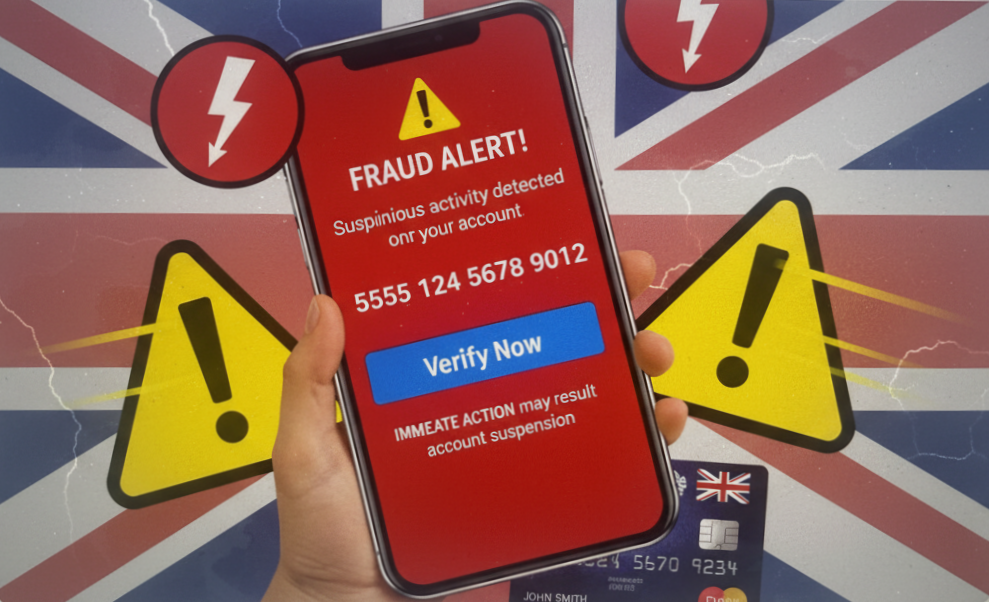
When a message popped up on my Facebook feed recently, something felt immediately off. It was a Facebook video scams — dressed up to look like a legitimate way to earn money by watching short clips and rating them. The cartoon graphics looked friendly. The promise of easy cash in pounds looked tempting. And that’s exactly the point.
I’ve spent years working in consumer finance and warning people about scams, so I can usually spot them quickly. But I want to be honest with you — this one was slick enough that I can see why pensioners are falling for it every single day.
What made this particular Facebook video scam even more dangerous was what came next — an invitation to move the conversation to Telegram, a messaging app that is completely ungoverned and unmonitored. That’s when I knew exactly what I was dealing with.
In this article, I’ll show you the 7 warning signs I spotted, explain how these scams actually work, and tell you exactly what to do if one lands in your feed.
| 📖 In This Article What Are Facebook Video Scams? The 7 Warning Signs That Could Cost You Money How the Scam Actually Works: The Three Stages Why Pensioners Are Being Targeted What to Do If You’ve Already Clicked How to Report Facebook Video Scams Your Quick Action Checklist |
What Are Facebook Video Scams?
Facebook video scams are fake money-making schemes that appear on Facebook — usually as messages, bots, or sponsored posts — promising you can earn cash simply by watching short videos and rating them.
They use pound signs, friendly cartoon images, and straightforward promises to make you feel like you’ve stumbled across something genuine. You haven’t.
These scams are spreading rapidly across the UK right now, and older adults are being disproportionately targeted. According to Action Fraud, social media scams cost UK victims hundreds of millions of pounds every year — and Facebook remains the number one platform where they appear.
The 7 Warning Signs of Facebook Video Scams That Could Cost You Money
Here’s exactly what I saw — and what you should be looking out for:
Warning Sign 1: A Vague or Truncated Bot Name
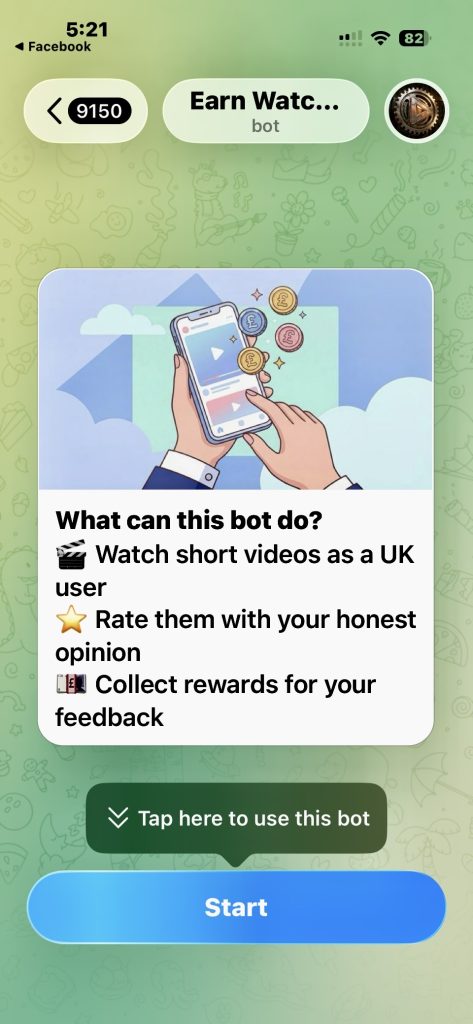
The bot I saw was called “Earn Watc…” — the name was cut off. Legitimate businesses don’t hide their name. Scammers use vague names because they’re running dozens of these bots simultaneously and don’t want you to Google them.
Warning Sign 2: A Large Fake Balance Already Waiting for You
The screen showed 9,150 points or credits before I’d done anything at all. This is a classic psychological trick called pre-loading — it makes you feel like you’ve already earned something, which makes you far less likely to walk away.
Warning Sign 3: UK-Specific Targeting
The message specifically said “Watch short videos as a UK user”. Scammers tailor their messages to your location to make them feel more personal and legitimate. It’s nothing more than basic targeting — they know exactly where you are.
Warning Sign 4: No Company Name, No Terms, No Accountability
There was no mention of who runs this service, no link to a website, no terms and conditions, and no way to verify anything. Any legitimate paid platform — such as YouGov or Prolific — has full company details and proper legal documentation. If you can’t find them, walk away.
Warning Sign 5: Cartoon Graphics and Coin Images
The friendly cartoon image of hands holding a phone with pound coins floating around it is deliberately designed to look fun and non-threatening. It’s the digital equivalent of a stranger in a car park offering you free scratch cards — designed to lower your guard before the real damage is done.
Warning Sign 6: Big Buttons Pushing You to Act Fast
The large “Tap here to use this bot” and “Start” buttons are engineered to get you moving quickly — before you stop to think. Any genuine service gives you time to read, research and decide. Facebook video scams want the opposite.
Warning Sign 7: They Ask You to Move to Telegram
This is the most dangerous warning sign of all. Once a Facebook video scam has your attention, it will typically try to move you off Facebook and onto Telegram — a messaging app that is completely ungoverned, unmonitored, and untraceable.
They’ll tell you Telegram is ‘easier’ or ‘more private’. In reality, they’re moving you somewhere that has no scam reporting mechanism, no platform moderator, and no way for anyone to intervene. Once you’re there, you’re isolated — and that’s when the real sting happens.
The moment anyone connected to a Facebook video scam asks you to continue on Telegram, stop all contact immediately.
| 🚨 The Telegram Trap: Why It’s So Dangerous Telegram has no scam reporting mechanism like Facebook does Conversations are encrypted — there is no audit trail for police There is no platform moderator to flag or remove suspicious activity This is where fake fees, personal data theft and bank account takeover happen Once you’re on Telegram with a scammer, getting help is significantly harder |
How Facebook Video Scams Actually Work: The Three Stages
Understanding the mechanics of facebook video scams is the best protection against them. Here’s how they typically unfold:
- Stage 1 — The Hook: You’re invited to watch videos and earn rewards. The tasks are simple, the rewards look real, and small amounts may actually appear in your account to build trust.
- Stage 2 — The Build-Up: You complete tasks and your ‘balance’ grows. You’re moved to Telegram where the scammer has full control. You may be encouraged to invite friends or family.
- Stage 3 — The Sting: When you try to withdraw your earnings, you’re told you need to pay an ‘activation fee’, ‘upgrade your account’, or make a ‘deposit’ to unlock your money. The money you pay disappears. Your ‘balance’ was never real.
| ❓ Are Facebook video scams real? No. Facebook video scams are fraudulent schemes designed to steal your money or personal information. They promise easy earnings for watching videos, but the real goal is to eventually ask you for an upfront payment or your sensitive details. No legitimate platform works this way. |
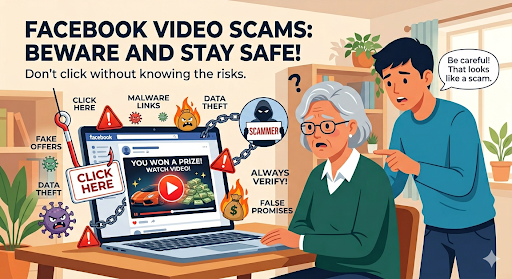
Why Are Pensioners Being Targeted by Facebook Video Scams?
I want to be direct with you about this, because understanding why you’re being targeted helps you stay protected.
- You’re active on Facebook. Scammers go where the audience is, and Facebook remains the most-used social platform among over-60s in the UK.
- Fixed incomes create appeal. The idea of earning extra money to supplement a pension is genuinely attractive — and scammers know it.
- Trust in technology is lower. Scammers exploit the fact that some older adults are less familiar with how online platforms verify their legitimacy.
- Facebook profits from the ads. Meta earns revenue from the sponsored posts and ads that drive many of these scams — which is partly why they aren’t always removed quickly.
- Telegram gives scammers a safe haven. Once you’re moved off Facebook, there’s no safety net. Scammers know this and exploit it deliberately.
If you want to understand just how sophisticated these scams have become, our guide to AI Scams targeting UK pensioners explains exactly how criminals are now using artificial intelligence to make fraud almost impossible to detect.
| ❓ How do I know if a money-making scheme on Facebook is legitimate? Ask these three questions: 1. Is the company clearly named with verifiable contact details? 2. Are there proper terms and conditions? 3. Do independent reviews exist on sites like Trustpilot? If the answer to any of these is no, walk away immediately. |
What to Do If You’ve Already Clicked on a Facebook Video Scam
Don’t panic. Clicking alone is unlikely to cause serious harm. Here’s what to do immediately:
- Do not enter any personal information — name, address, bank details, or National Insurance number.
- Do not send any money under any circumstances, no matter what reason is given.
- Do not move to Telegram — if they’re asking, that is your signal to stop immediately.
- If you’ve already shared banking details, contact your bank immediately using the number on the back of your card.
- Report it to Action Fraud on 0300 123 2040 or online at actionfraud.police.uk.
- Report the scam post directly on Facebook — tap the three-dot menu, select ‘Find support or report’ and choose ‘Scam’.
You should also be aware that phone scammers often follow up after an online scam — read our guide to phone scams targeting over 60s to stay one step ahead.
How to Report Facebook Video Scams
Reporting isn’t just about getting the scam removed — it helps protect other people, including others in your friends list who may have seen the same post.
Report to Facebook
- Tap the three dots on the post, message or bot profile
- Select ‘Find support or report’
- Choose ‘Scam’ and follow the prompts
- Block the sender immediately after reporting
Report to the Authorities
- Action Fraud: www.actionfraud.police.uk or call 0300 123 2040
- Citizens Advice Consumer Helpline: www.citizensadvice.org.uk or call 0808 223 1133
- National Cyber Security Centre: www.ncsc.gov.uk
| ❓ Should I be embarrassed about falling for a Facebook video scam? Absolutely not. These scams are professionally designed by organised criminal gangs. They are built to deceive intelligent, sensible people. Reporting it is one of the most helpful things you can do — for yourself and for others. |
| 📚 Related Reading on Honest Pensioner → Scams Targeting Pensioners: What You Need to Know → Phone Scams UK Targeting Over 60s — How to Stay Safe → 6 Pension Scams Targeting Pensioners Right Now — How to Spot Them |
Your Quick Action Checklist: Staying Safe from Facebook Video Scams
| ✅ Facebook Video Scam Safety Checklist Never tap ‘Start’ on an unknown bot promising money for watching videos Check for a real company name — vague or truncated names are a red flag Ignore pre-loaded balances — they are fake and designed to manipulate you Never pay a fee to ‘unlock’ or ‘withdraw’ earnings — that is the sting Never move to Telegram — it is ungoverned and untraceable Report scam bots and posts directly on FacebookContact Action Fraud if you have shared personal or financial information Tell your friends and family — sharing this article could stop someone being scammed |
The Bottom Line
Facebook video scams are designed to look friendly, feel familiar, and move fast. They target UK pensioners specifically because we’re active on Facebook and because a little extra income genuinely matters on a fixed pension.
The good news is that once you know the 7 warning signs — the vague bot name, the fake pre-loaded balance, the UK targeting, the missing company details, the cartoon graphics, the big ‘Start’ buttons, and above all the move to Telegram — they’re much easier to spot and walk away from.
If you’ve seen something similar in your own feed, please share this article with a friend or family member. You could save someone a great deal of money and heartache.
| 📝 Mark Says I spotted this particular scam on my own Facebook feed and immediately knew something was wrong. My 15 years in consumer finance told me: if it promises easy money for minimal effort and then tries to move you to Telegram, it’s a scam without question. Trust that instinct — and if in doubt, close it, report it, and walk away. |